AOC-1048
Entrée
BCA Auction
Entrée BMW 320d et préparation MOT
ManageBob pour Automotive Dealer Operations
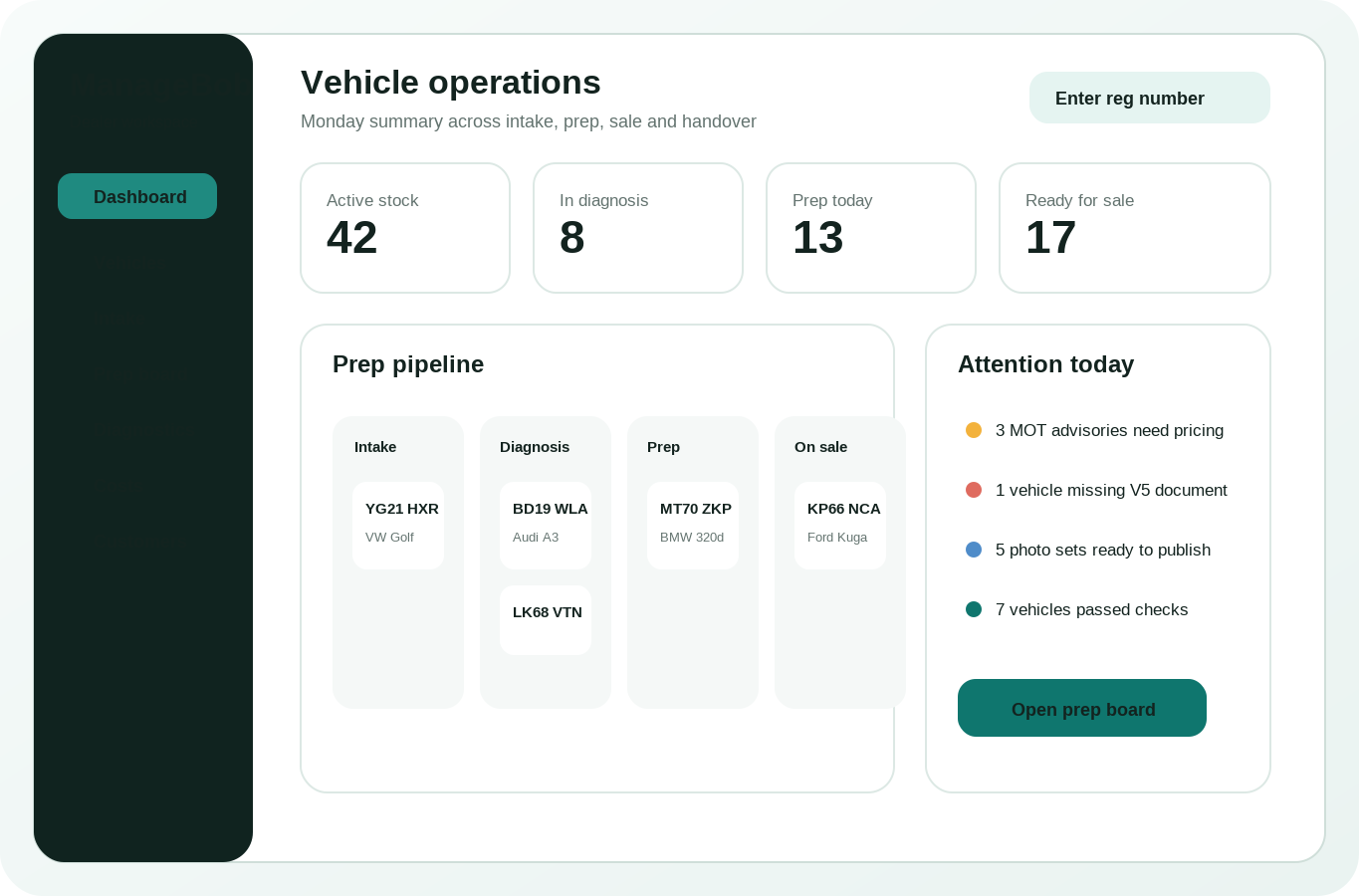
Automotive dealer software for stock, prep, diagnostics and sales.
Connect vehicle stock, diagnostics, sales, CRM communications, approved email imports, aftercare and vehicle profit reports in one desktop and tablet workspace.
- Flexible prep, advertising and sale statuses
- CRM and Outlook communication history
- Reviewable invoice and AI imports
- Vehicle profit and aftercare reporting
Tableau préparation et données prêtes
Simple pour démarrer. Facile à suivre.
Déplacez les véhicules entre les étapes sur un tableau visuel et démarrez avec catégories et exemples de stock automobile. Importez seulement ce dont vous avez besoin.
Glissez les véhicules entre les étapes
Utilisez catégories véhicule et exemples produits prêts
Choisissez uniquement les données à importer
Nouveau
AOC-1051
Diagnostic
Part exchange
Diagnostic Audi A3
En cours
AOC-1053
Préparation
Dealer group
Contrôle défaut DPF Golf GTD
AOC-1054
En cours
Trade source
Pneus, nettoyage et photos annonce
Prêt
AOC-1055
Prêt
Retail buyer
Dossier prêt pour vente
AOC-1056
Paiement dû
Sales desk
Acompte et paiement livraison
Données prêtes incluses
Prévisualiser et importer
Used cars and vans
Acquisition documents
Separate auction and marketing photos
Vehicle costs and history
Plus d’outils pour votre concession
Caisse, paiements, site web et services intégrés ensemble.
Chaque outil est pensé pour le fonctionnement automobile.
Caisse prête pour une utilisation hors ligne
Utilisez la caisse dans le navigateur ou installez-la sur un écran de comptoir. L’équipe peut scanner, vendre rapidement, recevoir le stock et imprimer les étiquettes sans ouvrir tout le menu admin.

Paiements Square Terminal
Envoyez les paiements complets ou fractionnés vers le Square Terminal de la concession, puis gardez vente, client, remboursement et rapport dans ManageBob.
Stock par boutique et transferts
Voyez le stock disponible par site, demandez des transferts et gardez les mouvements véhicule et produit visibles.

Équipe, shifts et commissions
Accès PIN, pointage, affectation boutique, ventes et objectifs de commission aident les propriétaires à suivre le comptoir.
Rapports et paiements
Consultez ventes véhicule, paiements préparation, remboursements, moyens de paiement, alertes stock et totaux comptables depuis les vrais dossiers concession.
A dealer workflow, not a generic repair-shop template.
Find the vehicle
Saisir: Customer or supplier, VIN, VRM and mileage, Vehicle condition photos
Choose the next action
Utiliser le stock: Used cars and vans, Acquisition documents, Separate auction and marketing photos
Review work and documents
Vendre ou remettre: Vehicle deposits, Retail-ready stock, Workshop jobs
Sell, hand over and support
Suivre avec: VRM LM19 WUC
Adapté au marché
Built for the way vehicle dealers actually work.
The platform keeps acquisition, prep, stock, sales and customer communication in one operational view.
Vehicle-first setup
New accounts start with automotive categories, intake fields and statuses instead of choosing from unrelated industries.
Tablet counter flow
Staff can capture vehicle details, photos, faults and prep notes while standing beside the car.
Prep and sale together
Workshop tasks, stock records, deposits, payments and handover notes stay connected to the same vehicle.
Review before applying
Outlook, AI Scan and MCP suggestions are reviewed against existing vehicle and customer records, with original source evidence retained.
Priorité automobile
Guides utiles pour l’activité automobile.
Acquire a vehicle, prepare it, then sell it with the record intact.
ManageBob links the seller or supplier, vehicle identity, diagnostics, prep costs, photos, retail price and sale history from the first intake.
Supplier or part-exchange source
VIN, VRM and mileage
Prep checks and photos
Retail-ready stock record
Acheter véhicule
Prêt à vendre
Vendeur ou source
Recherche fournisseur
BCA Auction - +44 7*** 4821
VehicleBMW 320d M Sport
VRMLM19 WUC
Mileage49,820
GradeRetail prep
Scan VIN
WBA8E520X0K123456
Contrôles
Photos
ExteriorInteriorVIN
Passer en stock
Prix de vente prévu
£579.00
Lié au dossier d’achat
Automotive tools are the core product.
From an incoming invoice to a return repair, keep the next action and the supporting evidence in the same vehicle history.
Vehicle intake
Capture VIN, VRM, mileage, acquisition source, condition photos, faults and expected prep work.
Prep board
Move vehicles through booked, diagnostic, parts, prep, valet, ready and handover stages.
Vehicle profit reports
Review daily, weekly and monthly figures with purchase, original prep and separate AfterSale costs. Missing amounts are flagged.
CRM and communications
Keep leads, customers, complaints, incoming emails, sent replies and attachments connected to the vehicle.
Sales and handover packs
Print sales packs individually or together with handover terms. Keep broker and lender details separate.
AfterSale and return diagnosis
Give the mechanic complaint details and previous work history, then record findings, repairs, costs and verification.
Automotive Dealer Operations FAQ logiciel.
Is ManageBob only for automotive dealers?
Yes. This platform is now configured as a standalone automotive product, with automotive industry data and signup defaults only.
Can staff use it on tablets during vehicle intake?
Yes. The workflow is being shaped around tablet-first intake, photos, checks and quick updates beside the vehicle.
Will diagnostic-machine data be stored later?
Yes. The product direction is to connect diagnostic tools so fault codes and related vehicle data can be stored against the digital vehicle record.
