AOC-1048
Intake
BCA Auction
BMW 320d intake and MOT prep
AutoOps Command for Automotive Dealer Operations
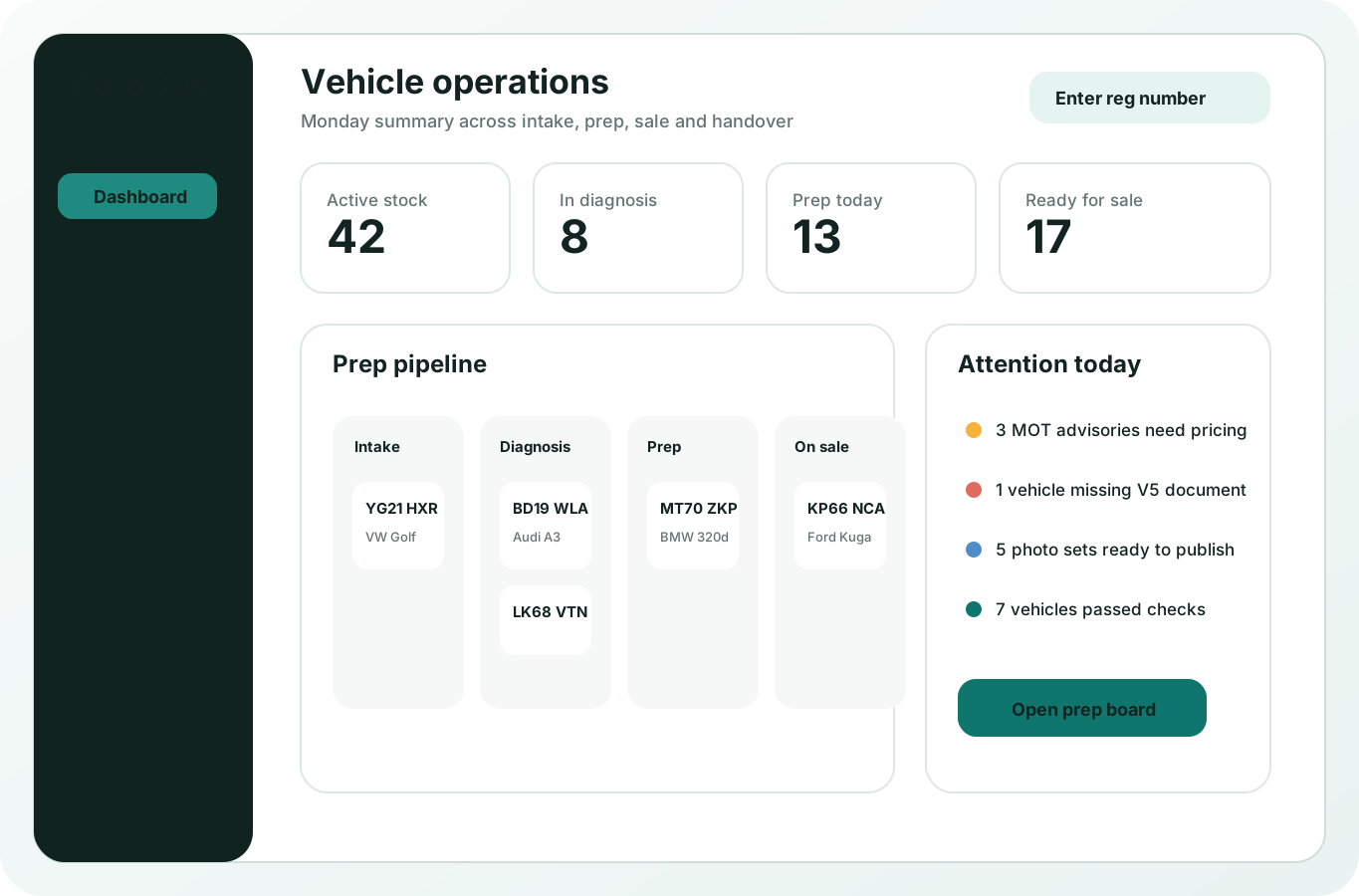
Automotive dealer software for stock, prep, diagnostics and sales.
Run vehicle intake, workshop preparation, diagnostic records, stock, customer communication, POS, accounts and reports from one tablet-first workspace.
- VIN, VRM and mileage records
- Vehicle prep and repair board
- Diagnostic notes and future OBD feeds
- Stock, sales and customer history
Visual prep board and starter data
Simple to start. Easy to keep moving.
Move vehicles between stages on a visual board, and start with ready-made categories and popular stock examples for automotive dealers. Import only what you need.
Drag vehicles between stages
Use starter vehicle categories and product examples
Choose only the data you want to import
New
AOC-1051
Diagnostics
Part exchange
Audi A3 diagnostic check
Working
AOC-1053
Prep
Dealer group
Golf GTD DPF fault review
AOC-1054
Working
Trade source
Tyres, valet and advert photos
Ready
AOC-1055
Ready
Retail buyer
Ready for sale handover pack
AOC-1056
Payment due
Sales desk
Deposit and handover payment
Starter data included
Preview and import
Used cars
Parts and tyres
Prep services
Accessories and warranty items
More tools for your dealership
POS, payments, website and integrations together.
Every tool is shaped around the automotive dealer workflow.
Offline-ready POS app
Use POS in the browser or install it on a counter screen. Staff can scan barcodes, use quick sale, receive stock and print labels without opening the full admin menu.

Square Terminal payments
Send full or split payments to the dealer’s own Square Terminal, then keep the sale, customer, refund and report record inside AutoOps Command.
Branch stock and transfers
See available stock by branch, request transfers and keep vehicle and product movement visible across the dealer operation.

Staff, shifts and commission
Staff PIN access, clock records, branch assignment, sales totals and commission targets help owners understand counter performance.
Reports and till records
Review POS sales, prep payments, refunds, payment methods, stock alerts and X/Z till reports from real dealer records.
A dealer workflow, not a generic repair-shop template.
Intake vehicle
Capture: Customer or supplier, VIN, VRM and mileage, Vehicle condition photos
Diagnose and quote
Use stock: Used cars, Parts and tyres, Prep services
Prep and approve
Sell or collect: Vehicle deposits, Retail-ready stock, Workshop jobs
Sell or hand over
Track by: VRM LM19 WUC
Market fit
Built for the way vehicle dealers actually work.
The platform keeps acquisition, prep, stock, sales and customer communication in one operational view.
Vehicle-first setup
New accounts start with automotive categories, intake fields and statuses instead of choosing from unrelated industries.
Tablet counter flow
Staff can capture vehicle details, photos, faults and prep notes while standing beside the car.
Prep and sale together
Workshop tasks, stock records, deposits, payments and handover notes stay connected to the same vehicle.
Diagnostic-ready foundation
The data model is ready for future diagnostic-machine feeds, so OBD and fault-code data can sit beside the vehicle history.
Automotive growth focus
Helpful guides for automotive operations.
Acquire a vehicle, prepare it, then sell it with the record intact.
AutoOps links the seller or supplier, vehicle identity, diagnostics, prep costs, photos, retail price and sale history from the first intake.
Supplier or part-exchange source
VIN, VRM and mileage
Prep checks and photos
Retail-ready stock record
Buy Vehicle
Ready to list
Seller or source
Supplier lookup
BCA Auction - +44 7*** 4821
VehicleBMW 320d M Sport
VRMLM19 WUC
Mileage49,820
GradeRetail prep
VIN scan
WBA8E520X0K123456
Checks
Photos
ExteriorInteriorVIN
Sell through inventory
Expected sale price
£579.00
Connected to purchase record
Automotive tools are the core product.
AutoOps starts with the flows a dealer needs daily: stock acquisition, preparation, diagnostics, customer updates and sales.
Vehicle intake
Capture VIN, VRM, mileage, acquisition source, condition photos, faults and expected prep work.
Prep board
Move vehicles through booked, diagnostic, parts, prep, valet, ready and handover stages.
Stock control
Track retail stock, parts, tyres, accessories, costs, deposits and sale readiness.
Customer history
Keep buyer, seller, enquiry, approval, payment and handover records attached to the vehicle.
Automotive Dealer Operations software FAQs.
Is AutoOps only for automotive dealers?
Yes. This platform is now configured as a standalone automotive product, with automotive industry data and signup defaults only.
Can staff use it on tablets during vehicle intake?
Yes. The workflow is being shaped around tablet-first intake, photos, checks and quick updates beside the vehicle.
Will diagnostic-machine data be stored later?
Yes. The product direction is to connect diagnostic tools so fault codes and related vehicle data can be stored against the digital vehicle record.
