Accounting
Set up tax and accounting records
Review tax overview, return support, supported margin stockbook records and accounting setup.
Before you start
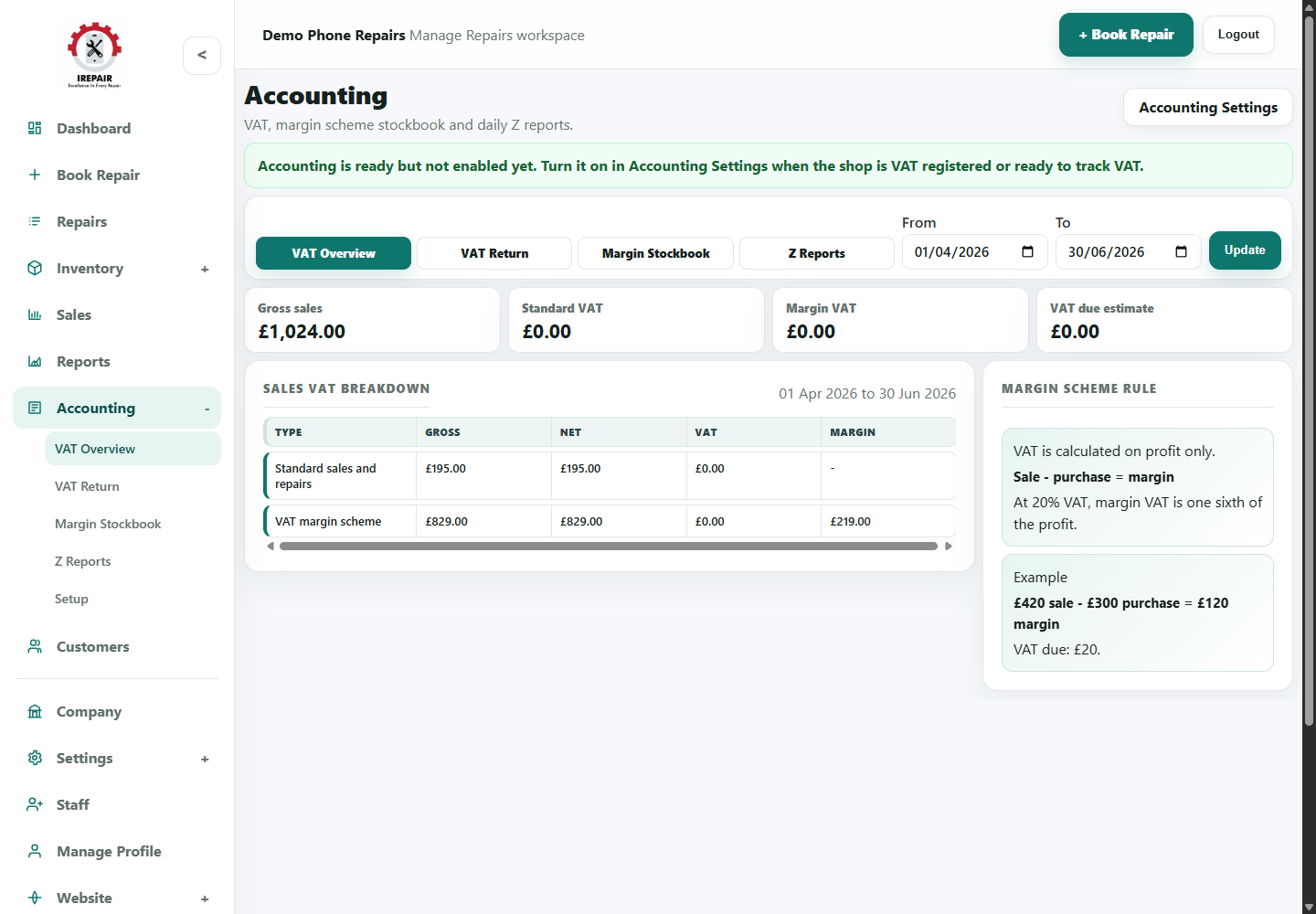
The accounting area helps repair and retail shops keep cleaner records for regional tax, supported margin stock and accountant review.
Important sections on this page
Use these focused screenshots when matching the guide to the real screen.

Choose the accounting view
Use the tabs and date range to focus on the accounting record you need.
- Use Tax Overview for a quick check.
- Use Margin Stockbook for eligible UK Buy/Sell margin-scheme records.
- Use Z Reports for closed till totals.
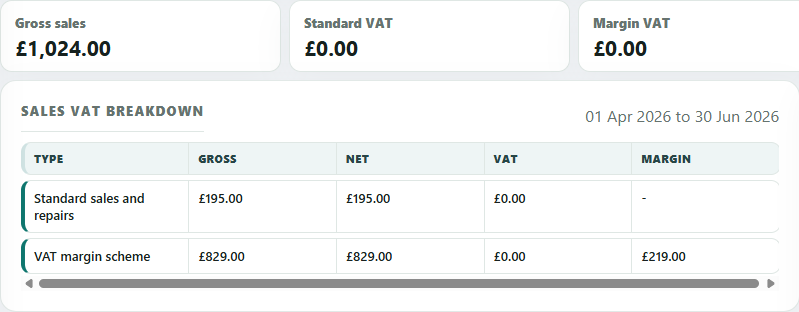
Tax breakdown
The tax breakdown separates standard sales from margin-scheme activity where the margin scheme is supported.
- Check gross, net and tax figures for the chosen period.
- Review margin figures when eligible Buy/Sell items are sold under margin scheme rules.
- Share figures with your accountant before filing.
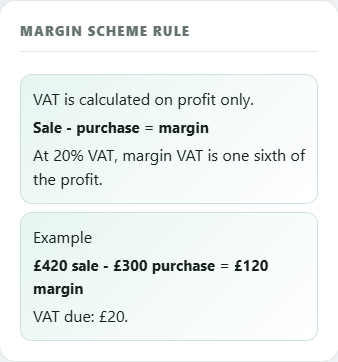
Margin scheme rule
The rule panel is a reminder of how margin VAT is calculated for eligible Buy/Sell sales.
- Margin VAT is based on profit, not full selling price.
- Good buy/sell records make the stockbook easier to trust.
- Confirm VAT treatment with your accountant for your own shop.
Step-by-step
- Open Accounting from the sidebar.
- Review the Tax Overview to see available record areas.
- Use Tax Return when preparing figures for review.
- Use Margin Stockbook for eligible UK Buy/Sell margin-scheme records where relevant.
- Open Setup to confirm tax settings match how your business operates.
Good to know
Confirm tax and margin-scheme handling with your accountant before relying on reports.
Record Trade-In purchases clearly so the stockbook is useful later.