Comptabilité
Configurer TVA et comptabilité
Consultez la TVA, les déclarations, le registre de marge et les paramètres comptables.
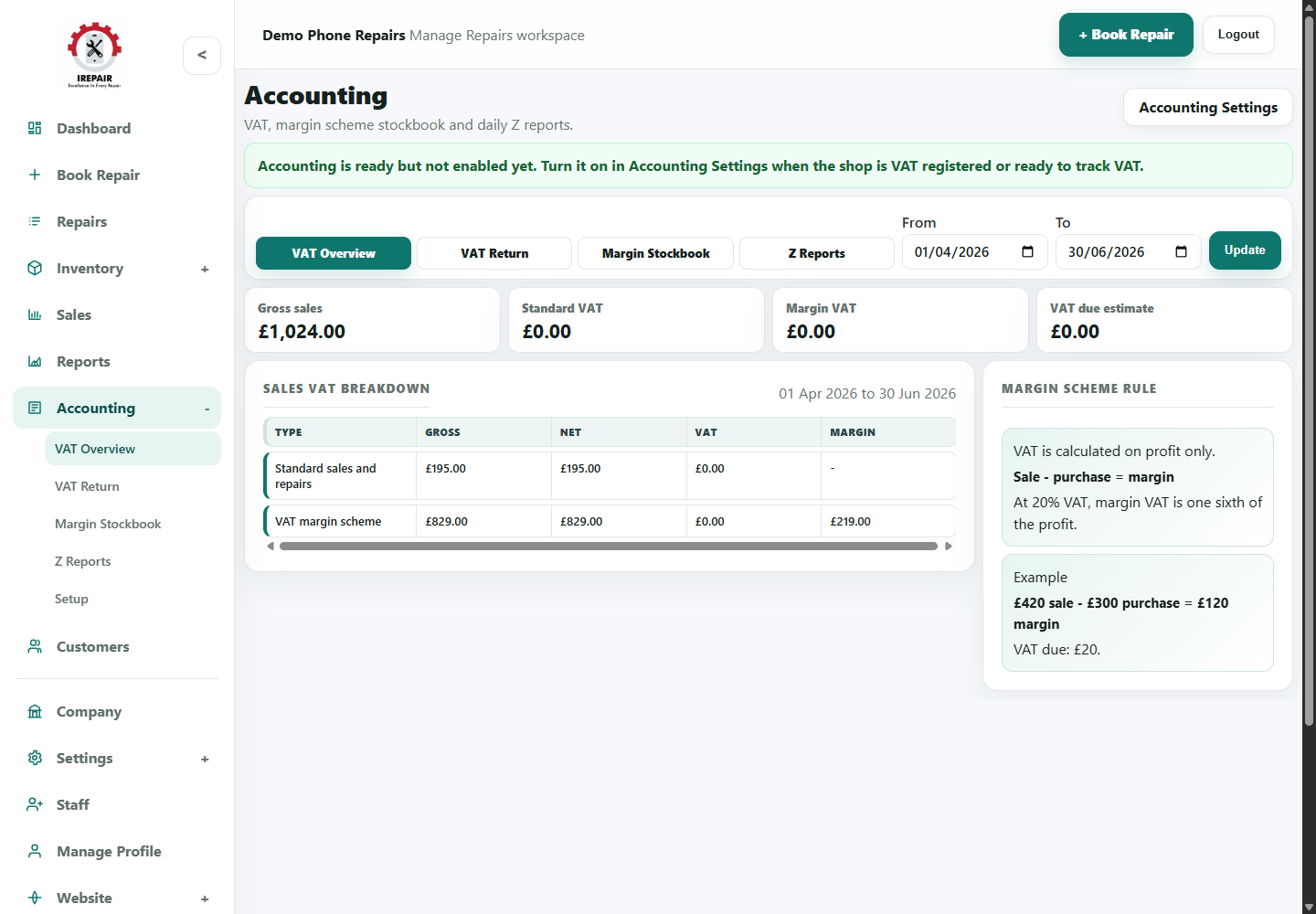
Avant de commencer
Les paramètres comptables préparent des données plus propres pour le suivi mensuel ou trimestriel.
Sections importantes de cette page
Utilisez ces repères pour retrouver la bonne zone dans l’écran réel.

Choose the accounting view
Use the tabs and date range to focus on the accounting record you need.
- Use Tax Overview for a quick check.
- Use Margin Stockbook for eligible UK Buy/Sell margin-scheme records.
- Use Z Reports for closed till totals.
Tax breakdown
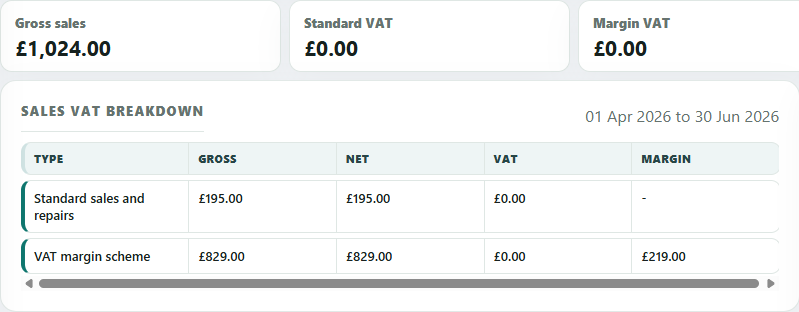
The tax breakdown separates standard sales from margin-scheme activity where the margin scheme is supported.
- Check gross, net and tax figures for the chosen period.
- Review margin figures when eligible Buy/Sell items are sold under margin scheme rules.
- Share figures with your accountant before filing.
Margin scheme rule
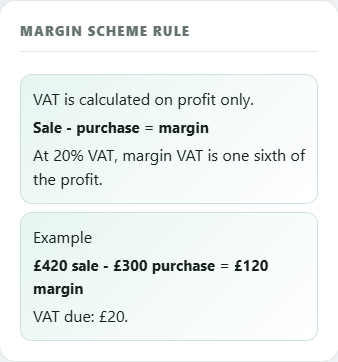
The rule panel is a reminder of how margin VAT is calculated for eligible Buy/Sell sales.
- Margin VAT is based on profit, not full selling price.
- Good buy/sell records make the stockbook easier to trust.
- Confirm VAT treatment with your accountant for your own shop.
Étapes
- Open Accounting from the sidebar.
- Review the Tax Overview to see available record areas.
- Use Tax Return when preparing figures for review.
- Use Margin Stockbook for eligible UK Buy/Sell margin-scheme records where relevant.
- Open Setup to confirm tax settings match how your business operates.
Bon à savoir
Confirm tax and margin-scheme handling with your accountant before relying on reports.
Record Trade-In purchases clearly so the stockbook is useful later.