Site boutique
Gérer les outils du site boutique
Contrôlez les pages, la navigation, les produits, commandes, demandes, paiements, domaine, thème et paramètres.
Avant de commencer
Le site boutique reprend les produits et informations de votre espace pour présenter votre activité aux clients.
Sections importantes de cette page
Utilisez ces repères pour retrouver la bonne zone dans l’écran réel.

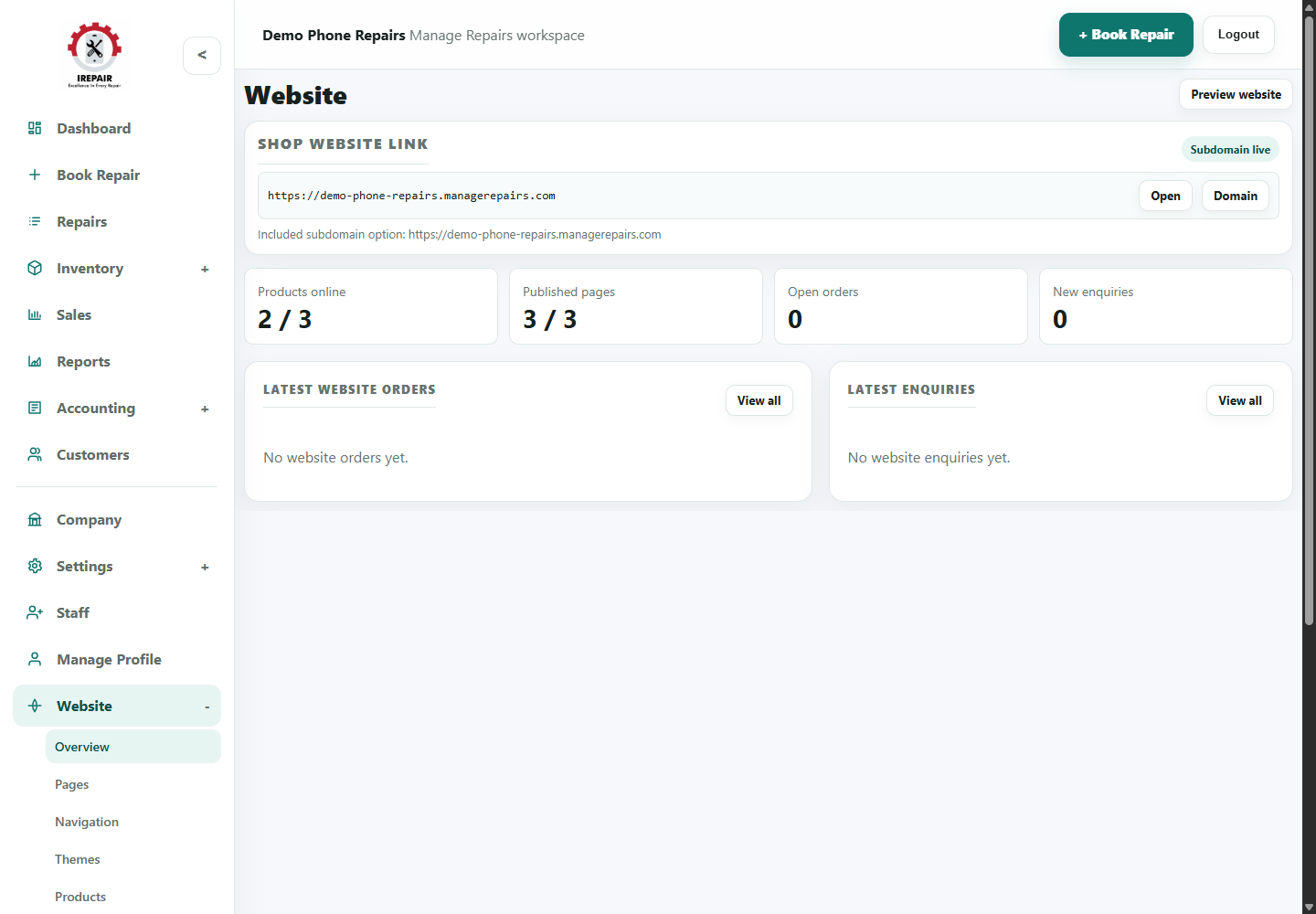
Website link and status
The link area shows the shop website address and whether the subdomain is live.
- Use Open to preview the current shop website.
- Use Domain when preparing a custom domain.
- Check the status badge before sharing the website link.

Website activity numbers
The summary cards show website product, page, order and enquiry activity.
- Products online shows how many inventory items are published.
- Published pages shows whether key website pages are live.
- Orders and enquiries help staff spot online customer activity.

Orders and enquiries
The lower panels help staff review the latest online activity without leaving the overview.
- Use View all when the shop has more online activity.
- Check enquiries regularly so customers are answered quickly.
- Keep online products and POS inventory aligned.
Étapes
- Open Website from the sidebar.
- Use Overview to check the website status and main setup areas.
- Use Pages to edit content such as home, services or information pages.
- Use Navigation to control menu links.
- Use Themes to adjust the look of the shop site.
- Use Products to decide which inventory items appear online.
- Use Orders, Enquiries and Payments to handle customer activity from the website.
- Use Domain and Settings when connecting the shop website to a live address.
Bon à savoir
Keep website product names and prices aligned with POS inventory.
Check enquiries regularly so online customers are not missed.