Stock
Gérer les produits du stock
Créez des produits pour pièces, accessoires, appareils et services avec stock, prix, fournisseur et catégories.
Avant de commencer
La page Stock donne une vue claire des produits, catégories, quantités, prix et actions utiles au comptoir.
Sections importantes de cette page
Utilisez ces repères pour retrouver la bonne zone dans l’écran réel.

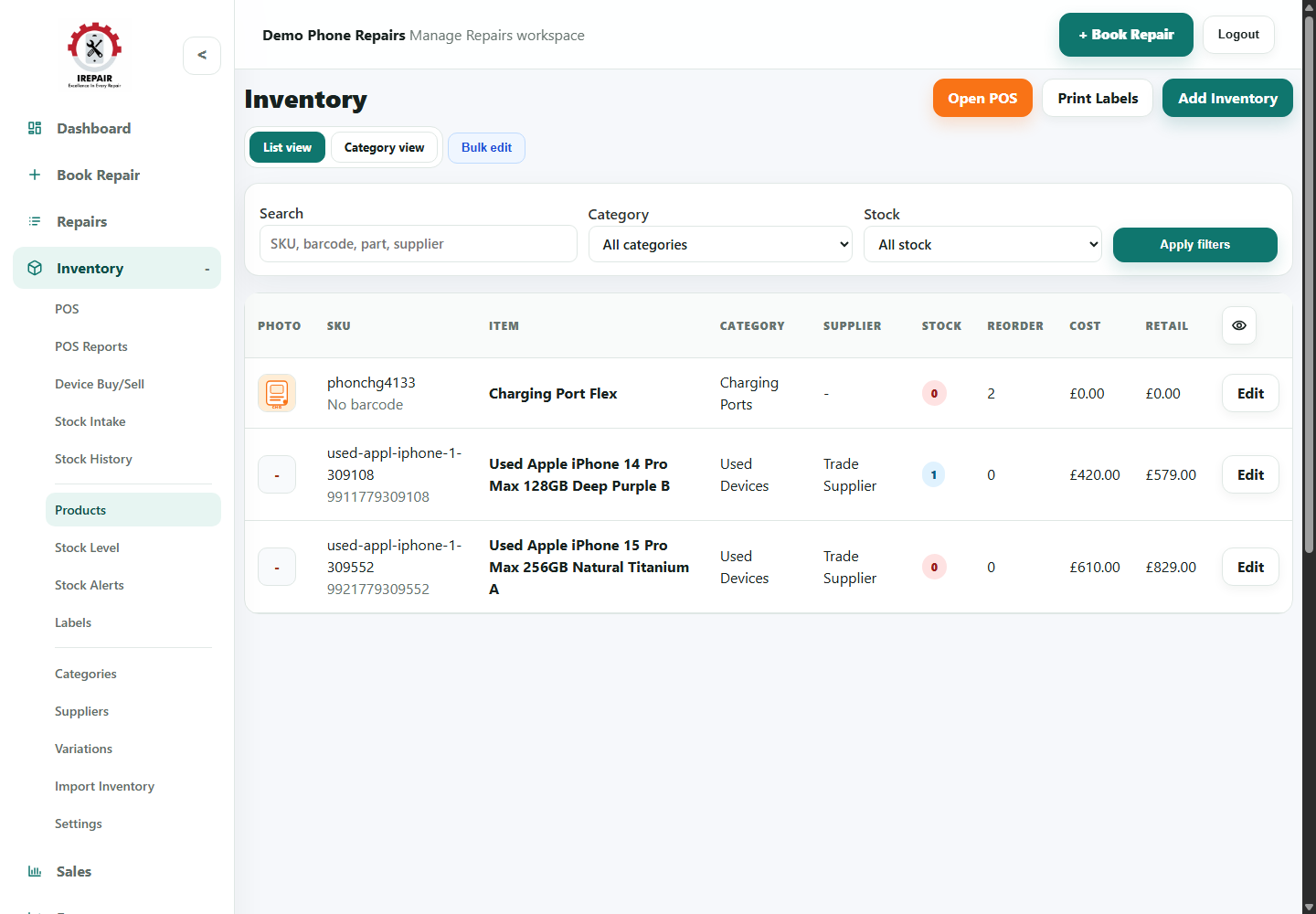
Inventory actions
The top controls help staff move from inventory into POS, labels or product creation.
- Open POS when a stock item needs to be sold.
- Print Labels when products need shelf or barcode labels.
- Add Inventory when a new item needs to be created.

Find the right stock item
Filters make stock checks quicker when the product list grows.
- Search by SKU, barcode, part name or supplier.
- Filter by category when checking a family of parts or accessories.
- Use stock filters when reviewing low or out-of-stock items.
Review product rows
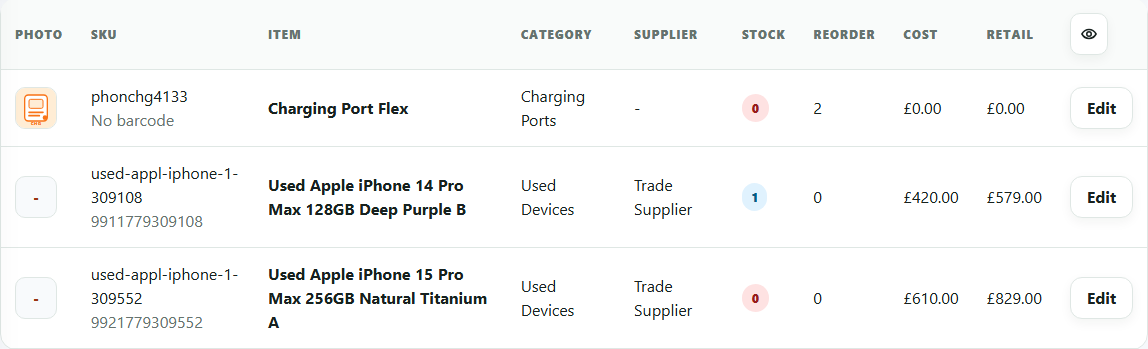
The product table shows the details owners normally need for stock control and pricing decisions.
- Check stock and reorder columns during buying decisions.
- Compare cost and retail columns to spot pricing mistakes.
- Open Edit when the product details, supplier or price needs changing.
Étapes
- Open Inventory from the sidebar.
- Use List view to review products, stock level, cost and retail price.
- Use filters to search by SKU, barcode, part name, supplier, category or stock level.
- Choose Add Inventory to create a new product.
- Add a clear product name, SKU, category, supplier, quantity, reorder level, cost and retail price.
- Save the product so it can be used in repairs, POS and website tools where relevant.
Bon à savoir
Use categories consistently so POS, labels and stock alerts are easier to manage.
Set reorder levels for important parts that should not run out.