Stock
Imprimer des étiquettes produit et code-barres
Cherchez les articles, choisissez les quantités et imprimez des étiquettes produit ou code-barres.
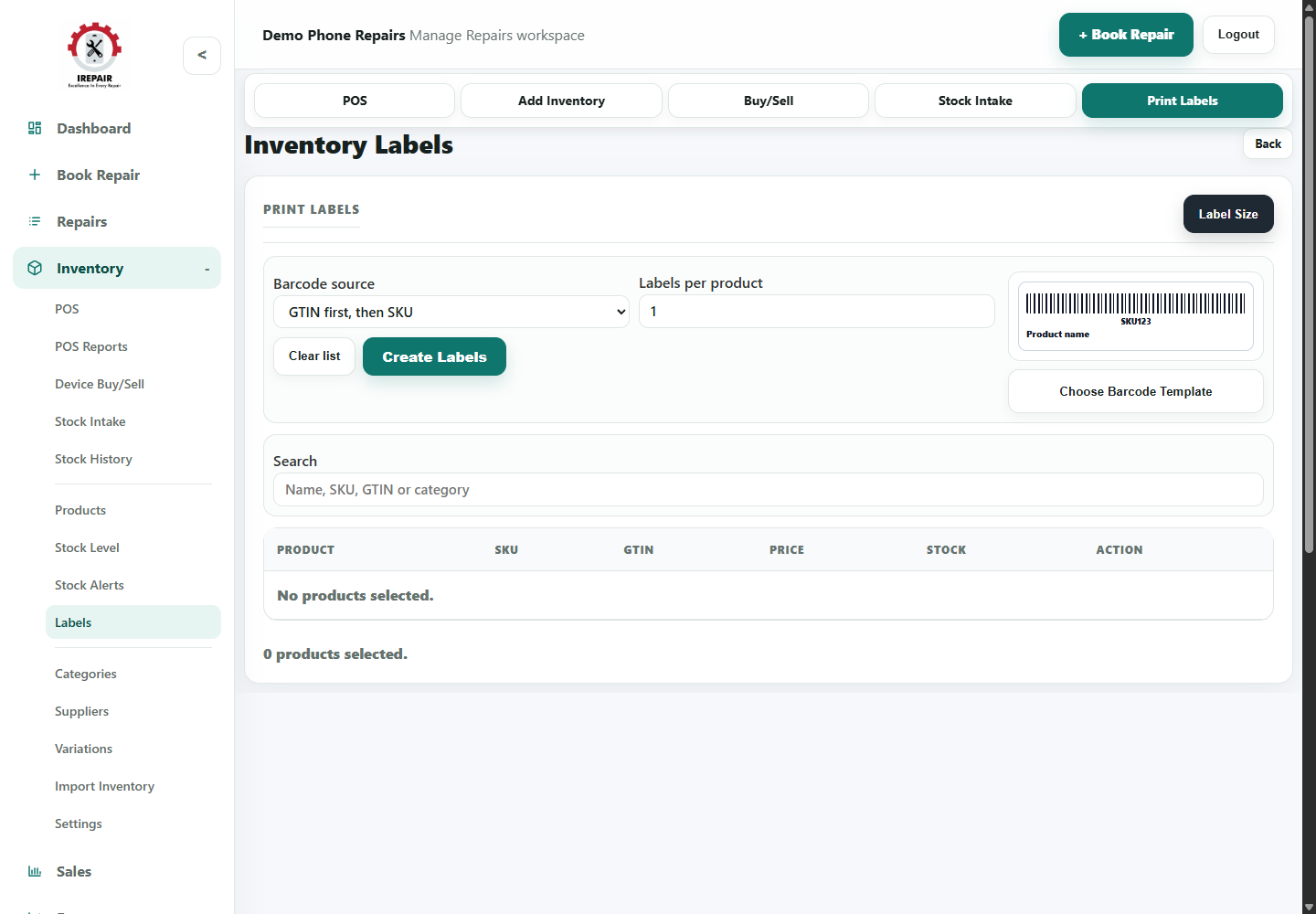
Avant de commencer
Les étiquettes facilitent le rangement, la vente en caisse et l’identification des produits en vitrine.
Sections importantes de cette page
Utilisez ces repères pour retrouver la bonne zone dans l’écran réel.
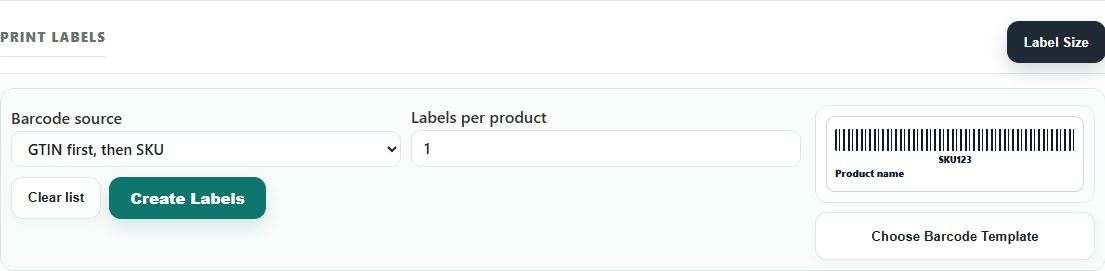
Label setup and preview
Set the barcode source and labels per product before printing.
- Choose whether labels use GTIN first or SKU.
- Set the number of labels needed for each selected product.
- Check the preview before printing a batch.

Search and selected products
Use search to add the right items to the label batch.
- Search by product name, SKU, GTIN or category.
- Review the product table before creating labels.
- Clear the list when starting a new label batch.
Étapes
- Open Inventory and choose Labels.
- Search for products by name, SKU, barcode or category.
- Choose the products that need labels.
- Set the quantity of labels for each product.
- Review label size and print settings.
- Print labels and attach them to products, shelves or packaging.
Bon à savoir
Print labels after receiving new stock so items are ready for POS scanning.
Keep label dimensions consistent with your printer and label roll.